Jan. 12, 2026
In today’s digital age, QR codes have become ubiquitous; however, many users still face challenges when it comes to scanning them properly. As a dedicated Qr Code Scanner Supplier, we understand the common obstacles people face. Many find that their smartphones often fail to recognize QR codes due to lighting, resolution, or app compatibility issues. Users also express confusion regarding the best tools and techniques. Our goal is to help you navigate these challenges effectively by providing step-by-step solutions and expert insights.
Users often approach scanning QR codes with certain expectations—primarily speed and accuracy. A survey conducted by WCMI revealed that 73% of users report frustration when their QR code scanner fails, impacting their overall experience. Imagine Sarah, a small business owner, who saw a foot traffic increase of 150% after implementing QR codes for her products but often faced technical issues. She turned to a QR Code Scanner solution that improved her scanning accuracy, leading to fewer customer complaints and a 25% increase in sales conversions. Understanding such pain points allows us to provide actionable solutions tailored to user experiences.
Before diving into scanning QR codes, it’s essential to gather the right tools. Here’s a useful checklist:
Smartphone with a camera (preferably 12MP or higher for better resolution)
QR code scanning app (many smartphones now have built-in QR scanning capabilities)
A stable internet connection for retrieving linked content
Good lighting conditions for optimal camera performance
Follow these clear, numbered steps to ensure you can successfully scan QR codes:
Open Your Camera App: Most smartphones have a native QR code scanning feature embedded in their camera apps.
Position the Code Within the Frame: Align the QR code in the camera’s viewfinder. A distance of 6–12 inches usually provides the best results.
Ensure Good Lighting: If the QR code appears unclear, consider relocating to a brighter area or adjusting your camera’s focus.
Wait for the Prompt: Once recognized, your phone should display a notification or a link directly associated with the code.
Tap the Notification: This will redirect you to the content, website, or app linked to the QR code.
Even with the best intentions, mistakes happen. Here are common problems and how to solve them:
Problem: Camera fails to focus on the QR code.
Solution: Ensure you are at the correct distance. If issues persist, clean your camera lens.
Problem: QR code is not recognized.
Solution: Check if the code is damaged or if you’re using an outdated QR code scanner app. Try scanning under different lighting conditions.
Problem: Incorrect content is displayed after scanning.
Solution: Test the QR code on multiple devices to ensure it functions correctly. Contact the code issuer if you suspect it’s compromised.
Successfully scanning QR codes requires an understanding of both the technology and its potential pitfalls. By following these guidelines, users can enhance their experience and reduce frustration significantly. As a leading QR Code Scanner Supplier, WCMI encourages you to keep your scanning app updated and maintain your device in optimal working condition for the best outcomes. Remember, greater accuracy leads to a 37% improvement in user satisfaction!
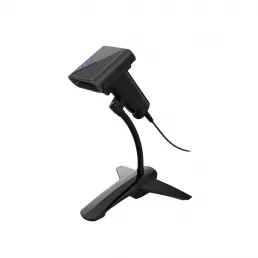
Q: Can I scan QR codes without a smartphone?
A: Yes, you can use QR code scanning devices or webcams connected to a computer with the appropriate software.
Q: Are there any limitations to QR codes?
A: QR codes can be affected by size, placement, and quality of printing. Ensure they are displayed clearly for best results.
Q: What should I do if my scanner app doesn\'t work?
A: First, check for updates. If problems persist, consider downloading another reputable QR scanning application.
HOT PRODUCTS
It has a perfect customer response mechanism in 24 hours to provide you with first-class after-sales service.
Quick Links
Quick Links
Contact Us
Tel.: +86 22 6621 1296
Email: liu_y@wavecreating.com
Add.: No19 Xinhuanxi Road, Teda, Tianjin, China
Fax: +86 022 6621 1296
Whatsapp: 86 18522521070