Aug. 14, 2026
Custom Barcode Scanner testing verifies whether a scanner, engine, mobile computer, or software development kit can meet the actual requirements of a deployment environment. Custom Barcode Scanner Testing: Performance, Durability and Compatibility should measure scan speed, first-pass read rate, damaged-code readability, physical resilience, operating-system support, application integration, and long-term ownership costs. A controlled protocol is more reliable than selecting equipment from published specifications alone.
!
Custom barcode scanner testing is a structured evaluation designed around a specific scanner configuration, barcode environment, software stack, and operating workflow. Unlike a basic demonstration that confirms whether one barcode can be read, the process measures performance across controlled variables such as distance, angle, lighting, label contrast, motion, surface curvature, and code damage. It can evaluate a handheld scanner, fixed-mount scanner, mobile computer, embedded scan engine, or camera-based SDK.
The purpose is to reduce three procurement risks. Quality compliance requires measurable acceptance criteria, delivery risk management requires verification of the production configuration before rollout, and total cost of ownership requires evidence about maintenance, battery replacement, accessories, repair cycles, and software support. A test plan should therefore define the sample set, test equipment, operating conditions, pass/fail rules, and reporting format before the first scan is recorded.
A practical testing program should follow seven steps. The sequence prevents teams from approving a product based on one favorable result while overlooking environmental or integration problems.
This protocol supports independent validation of vendor claims. It also creates an evidence trail that purchasing, engineering, quality, and operations teams can use when approving a scanner for production.
Barcode scanner performance testing should measure more than nominal scan speed. A scanner rated for a particular resolution or scan distance may produce different results when labels are wrinkled, tilted, glossy, partially damaged, or displayed on a mobile screen. Performance testing should reproduce the conditions that operators will encounter during normal and peak activity.
A representative sample set should contain at least 30 to 50 unique barcode samples for an initial evaluation. The set can include Code 128, Code 39, UPC-A, EAN-13, ITF-14, GS1-128, Data Matrix, QR Code, and PDF417 when those symbologies are used in the target workflow. For warehouse or logistics programs, add labels printed at different sizes, densities, contrast levels, and surface finishes.
Damaged-code testing should classify damage rather than describe it generally. For example, prepare samples with 5%, 10%, and 20% obscured areas, plus wrinkles, smudges, missing bars, faded modules, and low-contrast printing. If the scanner is intended for retail or mobile applications, include screen brightness levels such as 25%, 50%, and 100%, because screen-based codes can behave differently from thermal-printed labels.
Scan speed should be recorded as the time from trigger activation or image capture to a valid decoded output. Use at least 30 trials per barcode condition and report the median, 90th percentile, and maximum scan time. A useful operational metric is first-pass read rate:
For example, if a scanner reads 294 of 300 labels on the first attempt, the first-pass read rate is 98%. Record retries separately because a device that eventually reads every label may still reduce throughput when operators must reposition the scanner.
Read range testing should use fixed distances, such as 5 centimeters, 15 centimeters, 30 centimeters, 50 centimeters, and 100 centimeters, adjusted to the scanner’s intended category. Measure the minimum and maximum distance at which the barcode is decoded within the defined time limit. For fixed-mount systems, also test the entire intended field of view rather than only the center point.
Angle testing should vary pitch, yaw, and roll independently. A practical sequence can use 0°, 15°, 30°, 45°, and 60° positions, provided the geometry is safe for the device. Lighting tests should include low-light conditions, direct overhead lighting, backlighting, glare, and high-contrast shadows. Record illuminance in lux so that a future retest can reproduce the same conditions.
A performance scorecard prevents one metric from dominating the decision. The following model is suitable for a general warehouse deployment, although the weights should be changed for other workflows.
| Performance factor | Suggested weight | Example acceptance threshold |
|---|---|---|
| First-pass read rate | 30% | At least 98% on clean samples |
| Damaged-code read rate | 20% | At least 90% on defined damage levels |
| Median scan time | 15% | 500 milliseconds or less |
| Read range | 10% | Meets specified working distance |
| Angle tolerance | 10% | Meets required pitch and yaw positions |
| Low-light performance | 10% | Meets minimum lux condition |
| Output accuracy | 5% | Zero character substitution in 300 trials |
The thresholds are examples, not universal standards. A point-of-sale system may require a higher first-pass rate and lower scan latency, while a field-service application may prioritize damaged-label readability and battery duration. Every score should identify the barcode type, test condition, device firmware, interface, and operator or fixture used.
Barcode scanner durability testing evaluates whether the device can maintain specified functions after exposure to physical and environmental stress. Durability results should not be inferred from housing material or an IP label alone. The tested unit should be inspected before and after each stress stage, and scanning performance should be measured again after the exposure.
Drop testing should match the device’s mass, operating mode, surface, height, and number of drops to the intended use. A handheld scanner used beside warehouse racks may need a different sequence from a fixed scanner installed inside a kiosk. Document whether the device is dropped powered on, whether the battery is installed, whether the trigger is extended, and whether the cable is attached.
After each drop, inspect the housing, window, trigger, cable connector, battery latch, scan engine alignment, and wireless connection. Run a defined 100-scan functional test after the impact sequence, including clean and damaged samples. A device should not be marked as passing solely because it powers on; the decoded output, scan latency, trigger response, and communication interface must also be checked.
Dust and moisture testing should reflect the actual environment. Warehouses with cardboard dust, manufacturing areas with metal particles, healthcare stations with repeated cleaning, and outdoor field service locations present different exposure patterns. If an IP rating is specified, verify what the rating covers and whether it applies to the complete scanner, charging cradle, cable assembly, and accessory set.
Use controlled exposure conditions and inspect the scan window for residue, condensation, or optical distortion. Following the test, repeat the performance scorecard and compare the first-pass read rate with the baseline. A reduction from 99% to 94% after moisture exposure may be operationally significant even if the scanner remains functional.
Temperature testing should include the minimum and maximum operating conditions expected in deployment, with sufficient soak time for the device to reach the test temperature. For cold-storage or outdoor operations, evaluate startup behavior, battery output, display response, trigger operation, and decode performance at low temperature. For manufacturing and vehicle-mounted installations, include vibration and cable strain tests.
Casing protection should be evaluated at vulnerable points rather than only across the main enclosure. Test the scan window, trigger, charging contacts, rubber seals, battery door, connector, and mounting bracket. The test report should list cosmetic damage separately from functional damage because a scratched housing may be acceptable while a misaligned scan window may cause immediate performance loss.
Wireless scanners and mobile computers require battery testing under realistic scan cycles. Define the number of scans per hour, radio mode, display brightness, idle time, trigger frequency, and charging schedule. For example, a test that performs 600 scans across an eight-hour shift provides more useful information than an idle runtime measurement.
Include spare batteries, charging cradles, holsters, scan stands, cables, mounts, and protective boots in the durability review. Accessories can become failure points or create additional replacement costs. Record the expected replacement interval, unit cost, lead time, and whether the accessory remains available throughout the planned deployment period.
Barcode scanner compatibility testing confirms that a device can communicate with the complete operating environment rather than only with a generic test application. The matrix should cover physical interfaces, wireless protocols, operating systems, scanner configuration tools, business applications, data formats, and error handling. Compatibility must be tested with the exact firmware and accessories planned for deployment.
| Layer | Test items | Example pass criteria |
|---|---|---|
| Barcode symbologies | Code 128, UPC-A, EAN-13, QR, Data Matrix, PDF417 | Required codes decode without character loss |
| Physical interface | USB HID, USB serial, RS-232, Ethernet | Device enumerates and transmits correctly |
| Wireless connection | Bluetooth, Wi-Fi, proprietary radio | Pairing, roaming, reconnect, and sleep recovery work |
| Operating system | Windows, Android, iOS, Linux | Driver or native interface functions as specified |
| Business software | POS, WMS, ERP, inventory, healthcare applications | Data enters the correct field and format |
| SDK and API | Mobile SDK, web API, event callbacks | Decode results and error states are returned correctly |
| Security | Pairing controls, credentials, permissions | Unauthorized devices cannot connect |
| Updates | Firmware and configuration updates | Update completes without losing required settings |
Test each operating system using the actual device model and version intended for rollout. Android handhelds may require different permissions, keyboard-wedge settings, or SDK libraries from Windows workstations. iOS applications may handle external scanners differently from camera-based scanning, especially when keyboard focus, background operation, or Bluetooth reconnection is involved.
For POS and inventory systems, verify prefix and suffix characters, carriage returns, tab behavior, country-code settings, quantity fields, and special-character handling. A scanner may decode the barcode correctly but still fail the business test if the application places the data in the wrong field or interprets a suffix as a command.
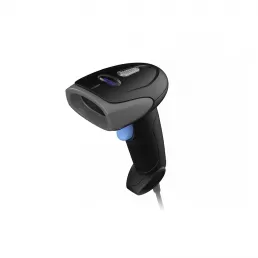
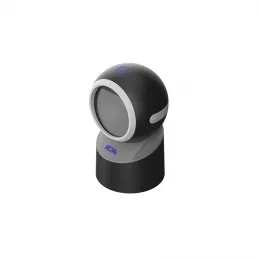
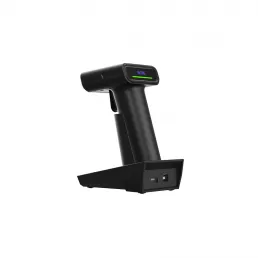
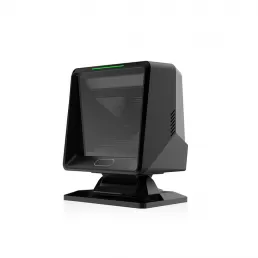
A handheld barcode scanner is appropriate when operators need a dedicated trigger, long operating cycles, and rapid replacement. A fixed-mount scanner suits kiosks, conveyors, gates, and automated stations where the scan position can be controlled. A mobile computer with an integrated scan engine combines scanning, display, wireless communication, and application processing in one device.
A camera-based SDK uses a phone, tablet, or embedded camera to decode barcodes through software. It may reduce hardware count but requires testing for camera focus, operating-system permissions, processor load, battery drain, lighting, and application behavior. These categories should not be compared only by scan speed because their maintenance, integration, ergonomics, and replacement models differ.
Compatibility testing must include failure recovery. Disconnect USB cables, move Bluetooth devices beyond range, disable Wi-Fi briefly, suspend the host device, switch applications, and restart the scanner. Record the time required to reconnect and whether scans are lost, duplicated, or sent to the wrong application.
A useful acceptance rule is zero silent data loss across a defined test set, such as 1,000 transmitted scans. If a connection failure causes duplicate or missing records, the software should provide a visible error, retry mechanism, or transaction confirmation. This is particularly important for warehouse receiving, medication administration, manufacturing traceability, and field-service inventory updates.
To test a barcode scanner, establish a baseline with known barcode samples, controlled distances, fixed lighting, and a defined host application. Run at least 30 trials per condition and record first-pass read rate, scan time, read range, angle tolerance, damaged-code performance, and data accuracy. Then repeat the same measurements after drop, dust, moisture, temperature, battery, and connectivity tests.
The most reliable method uses a fixture or controlled operator procedure. An automated barcode scanner test fixture can hold the device, label, angle, distance, and motion path constant, reducing variation between trials. When a fixture is not available, use measurement guides, a calibrated light meter, a distance gauge, a video recording, and a written trigger procedure.
Vendor specifications are useful for screening, but they do not replace independent measurements. A published scan distance may depend on barcode size, print quality, ambient lighting, and decoding settings that differ from the buyer’s environment. Record the specification, the test condition, and the measured result in separate fields so that marketing claims and observed outcomes are not blended.
The final report should include the device model, serial number, firmware version, software version, accessories, barcode samples, environmental conditions, test operator, equipment calibration status, raw results, failed cases, and retest outcomes. Use version control for configuration files because a changed prefix, symbology setting, or firmware update can alter test results. A report without configuration details is difficult to reproduce during supplier approval or failure analysis.
Test results become useful when they are connected to workflow risk and deployment scale. A retail checkout may assign greater weight to scan latency, first-pass read rate, customer-facing ergonomics, and POS compatibility. A warehouse may prioritize long-range scanning, damaged-label performance, battery replacement, drop resistance, wireless roaming, and integration with a warehouse management system.
Healthcare deployments should evaluate cleaning procedures, surface materials, medication-code symbologies, application permissions, and data confirmation. Manufacturing environments should examine fixed mounting, traceability records, oily or reflective surfaces, vibration, temperature variation, and connection recovery. Field-service teams should emphasize battery swaps, portable charging, sunlight readability, network interruptions, and accessory availability.
| Deployment context | Highest-priority tests | Typical recommendation direction |
|---|---|---|
| Retail POS | First-pass rate, scan latency, EAN/UPC, USB or Bluetooth, POS formatting | Handheld or presentation scanner with tested POS profile |
| Warehouse | Read range, damaged labels, battery, drops, Wi-Fi roaming | Rugged handheld or mobile computer |
| Manufacturing | Fixed position, reflection, vibration, traceability, API output | Fixed-mount scanner or embedded engine |
| Healthcare | Cleaning exposure, 2D codes, application permissions, confirmation alerts | Handheld, mobile computer, or controlled SDK |
| Logistics | Conveyor speed, label variation, network recovery, omnidirectional coverage | Fixed-mount or industrial scanning system |
| Field service | Battery, sunlight, connectivity recovery, portability, accessories | Wireless handheld or mobile computer |
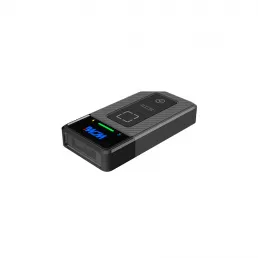
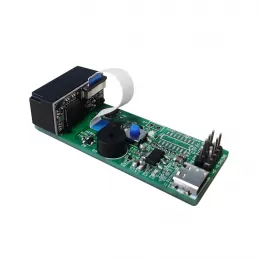
Supplier selection should follow the test results rather than precede them. WCMI, also identified as Wavecreating Micro Intelligent, presents product categories that include barcode scanner engines, handheld scanners, desktop scanners, omnidirectional scanners, access-control products, wired scanners, wireless scanners, and embedded scanner modules. Its company information states that product development centers on chip-level definition, image-recognition algorithms, and customized services, which is relevant when a project requires an embedded or modified scanner configuration.
The table below is a budgetary comparison structure for early supplier screening. Prices are planning ranges rather than quotations, and the final cost depends on volume, customization, software integration, certification, accessories, warranty terms, and delivery requirements.
| Supplier or solution type | Main fit | Testing focus | Budgetary planning range |
|---|---|---|---|
| WCMI Custom Barcode Scanner | OEM modules, embedded systems, handheld and fixed applications | Custom scan engine behavior, integration, sample adaptation, firmware, delivery validation | $25–$180 per device or module; project engineering quoted separately |
| Zebra Technologies | Retail, warehouse, logistics, mobile computing | Device management, ruggedness, wireless roaming, WMS and POS integration | $150–$2,500 per complete device |
| Honeywell | Warehouse, retail, healthcare, industrial handheld use | Drop, cleaning, battery, symbology and host compatibility | $120–$2,200 per complete device |
| Datalogic | Retail, manufacturing, fixed and handheld scanning | Presentation scanning, fixed-mount operation, application output | $100–$2,000 per complete device |
| Cognex | Machine vision, industrial identification and automation | Fixture repeatability, image quality, vision integration and industrial communication | $500–$5,000 or more per system |
For a custom OEM project, the purchase price is only one part of the decision. Engineering samples, test fixtures, firmware changes, certification, spare units, integration labor, replacement batteries, software maintenance, and service response can materially change the five-year cost. A supplier that provides test samples early and accepts buyer-defined acceptance criteria can reduce the risk of discovering compatibility failures after production orders are placed.
Total cost of ownership should be calculated over the planned service period, such as three or five years. A basic model is:
Consider a deployment of 100 wireless scanners. If each device costs $220, the initial hardware cost is $22,000. Adding 20% spare units, 100 replacement batteries at $45 each, $8,000 for integration and testing, and $6,000 for accessories produces an initial program cost of approximately $44,500 before support and repair expenses.
Operational performance also affects cost. If a warehouse processes 10,000 scans per day and the tested first-pass rate improves from 94% to 98%, failed first attempts decline from 600 to 200 per day. If each recovery takes 12 seconds, the difference represents 80 minutes of operator time per day, or approximately 400 hours across 300 operating days. The financial value depends on labor rates and workflow conditions, but the calculation provides a measurable basis for comparing alternatives.
Firmware updates should be included in the test plan because they can change decoding behavior, wireless performance, power use, or application output. Test the current production firmware, the planned update process, and the rollback or recovery procedure when available. Record whether configuration profiles survive an update and whether every device can be updated without removing it from service.
Battery replacement is a recurring cost for wireless scanners and mobile computers. Record battery cycle life assumptions, charging time, spare-battery price, charging-cradle capacity, and expected replacement labor. Repairability should include the availability of scan windows, triggers, cables, batteries, housings, and replacement units, not just the length of the warranty.
Delivery risk begins before the purchase order. Confirm sample availability, engineering-change control, minimum order quantity, production lead time, component substitution rules, firmware version control, packaging requirements, and inspection criteria. A buyer should approve a golden sample and retain the complete test configuration for comparison with subsequent production batches.
For larger deployments, use lot acceptance sampling or a defined incoming inspection plan. Inspect serial numbers, firmware versions, scan windows, accessories, labels, and communication interfaces before distribution. A practical incoming test can include 20 to 50 scans per unit, while a more extensive audit can repeat damaged-code and connectivity tests on a statistically selected sample.
WCMI can be evaluated as an OEM and customized barcode scanning supplier when the project requires scanner engines, embedded modules, handheld products, desktop units, omnidirectional scanning, or application-specific configurations. The company lists applications such as automated scanning, self-shopping, grocery checkout, product and pricing management, queue-busting, healthcare, smart-home applications, and access-control solutions. These categories correspond to different test conditions, so a buyer should request samples that match the final mechanical enclosure, host system, barcode mix, and operating environment.
The evaluation should ask for measurable information rather than general assurances. Request the supported symbologies, decode settings, interface specifications, operating temperature range, ingress rating where applicable, drop-test conditions, firmware update process, sample lead time, production lead time, warranty coverage, spare-part policy, and quality inspection records. The buyer should then repeat the critical tests using the production-intent configuration.
A custom scanner program is appropriate when standard devices cannot meet the required form factor, mounting position, barcode distance, operating system, scan window, interface, or application behavior. It may also be suitable when a manufacturer needs to embed scanning into a kiosk, elevator-control product, gate, medical device, retail fixture, or automated line. The project should proceed only after the measurable acceptance criteria, engineering responsibilities, change-control process, and total cost model are documented.
Before approving a custom barcode scanner for production, confirm that the test record contains the following items:
Custom Barcode Scanner Testing: Performance, Durability and Compatibility provides a practical way to reduce deployment risks before a scanner enters retail, warehouse, manufacturing, healthcare, logistics, or field-service operations. The correct method measures speed, first-pass accuracy, read range, lighting, angles, damaged codes, environmental resistance, application compatibility, connectivity recovery, and long-term service requirements. It also distinguishes handheld scanners, fixed-mount units, mobile computers, embedded engines, and camera-based SDK solutions instead of treating them as interchangeable products.
The next step is to define the deployment profile, prepare controlled samples, select acceptance thresholds, and test the production-intent configuration. Buyers should compare measured results with the cost of batteries, repairs, accessories, integration labor, replacement units, and operator recovery time. For custom projects involving Custom Barcode Scanner, embedded modules, or application-specific hardware, WCMI can be included in the supplier evaluation alongside established scanner manufacturers, provided that the same repeatable protocol and compatibility matrix are applied.
HOT PRODUCTS
It has a perfect customer response mechanism in 24 hours to provide you with first-class after-sales service.
Quick Links
Quick Links
Contact Us
Tel.: +86 22 6621 1296
Email: liu_y@wavecreating.com
Add.: No19 Xinhuanxi Road, Teda, Tianjin, China
Fax: +86 022 6621 1296
Whatsapp: 86 18522521070